Home › RoboForm review 2026
Password managers · Updated October 2026RoboForm review 2026: the audited budget pick with the best form filler in the business
Launch score: from verified pricing, audits, and free-tier limits. Hands-on testing pending.
Launch score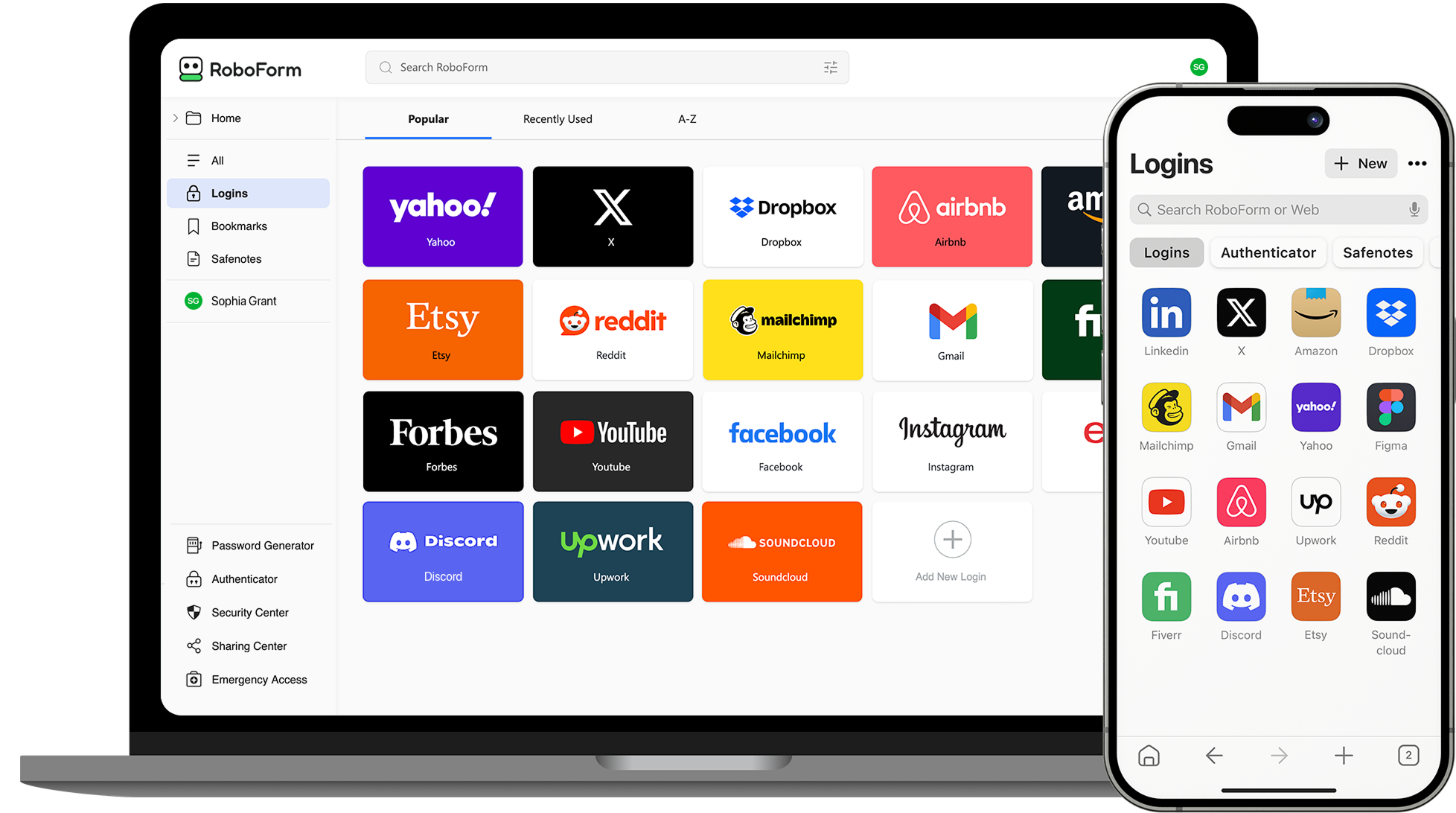
RoboForm · Premium: the audited budget pick
“The best-value audited password manager in 2026: 25+ years with no public breach, real third-party audits, and the best form filler anywhere, at $2.49/mo.”
- Free tier: unlimited passwords, one device
- Audits: Secfault Security pentests (2023, 2025); SOC 2 cloud
- Encryption: AES-256 + PBKDF2 SHA-256, zero-knowledge
- Standout: best-in-class web-form and identity filling
Pros
- Cheapest genuinely audited manager: $2.49/mo billed annually
- Cleanest security record in the category: no public breach since 1999
- Form filling beats 1Password and NordPass on full web forms
- Free plan has no password limit and no time limit
Cons
- The desktop app looks and feels dated next to 1Password
- Free plan is locked to a single device: no sync
- Intro price ($19.90/yr) jumps to $29.88/yr on renewal
- Audits happened in 2023 and 2025, not on an annual cadence
From $2.49/mo billed annuallyRenews at $29.88/yr · first year $19.90 · 30-day money-back guarantee
The verdict, up front
RoboForm Premium is the password manager we recommend for most people who shop on price: $2.49/mo billed annually gets you unlimited devices, secure sharing, emergency access, and breach monitoring from a company with a 25+ year clean security record and two full-platform third-party pentests. The one-line case is boring on purpose: it does the unglamorous core job, audited, for about half the price of 1Password.
The honest con lives in the interface. The desktop app feels like it shipped years ago next to 1Password or NordPass, and real users say the same (G2's top complaint is the dated design). If polish matters more to you than price, read our best password managers 2026 roundup first. If value matters most, the winner is below, with the renewal math spelled out so there are no surprises.
Check priceSecurity: the audit record
RoboForm's security story is the reason it survives against bigger-spending rivals. AES-256 encryption with PBKDF2 SHA-256 guards the vault, and the zero-knowledge architecture means decryption happens only on your device: RoboForm cannot reset your master password or read your data, which is exactly what you want a password company to say. Two-factor options cover passkeys, hardware keys, trusted devices, TOTP apps, email, and SMS. A published security whitepaper documents the architecture in full.
Independent verification is real here. Secfault Security ran full-platform penetration tests in 2023 and again in 2025, covering the Windows and macOS clients, Android and iOS apps, browser extensions, the online portal, and the password generator. RoboForm publishes the audit summary on its own site; findings were fixed and re-verified. The cloud service also holds SOC 2 certification. No annual-cadence claim is possible: the audits are dated 2023 and 2025, not yearly like 1Password's program.
The track record is the standout number on this page: no public breach of customer data in RoboForm's 25+ year history. LastPass's 2022 breach, which exposed encrypted copies of customer vaults, is the comparison that makes this matter. Longevity is not a security feature, but 25 years without an incident is a signal worth pricing in.
Form filling: the real reason to buy
RoboForm started in 1999 as a form filler and never stopped being the best at it. It completes full web forms, identities, and credit cards with one click, where most managers only do a reliable job on username and password fields. G2 user reviews repeatedly call it best-in-class, and it is the single most consistent differentiator in this review. If you fill out checkout forms, registrations, and applications all day, this is the feature that decides the purchase.
Everything else is standard in the best way: password generator, Security Center that flags weak, reused, and compromised passwords, breach alerts on your email addresses, and secure sharing with granular rights. Passkeys are supported alongside passwords, which is the right setup as adoption grows.
Pricing: first year vs renewal
This is the section most RoboForm reviews fudge. CyberNews currently lists "from $0.99/mo": that is the first-year promo price stretched into a monthly rate, not what you will pay going forward. Here is the official pricing as published on roboform.com, checked October 2026:
| Plan | First year | Renewal | Users |
|---|---|---|---|
| Free | $0 | $0 | 1 |
| Premium | $19.90 | $29.88/yr ($2.49/mo) | 1 |
| Family | $31.95 | $47.75/yr ($3.98/mo, 5 accounts) | 5 |
Prices from roboform.com's official pricing page, checked October 2026. Promo prices drift with sales: verify at checkout. Budget on the renewal column, not the first-year column.
The Family plan is the value sleeper: five full Premium accounts under one bill at $47.75/yr means about $9.55 per user per year on renewal, far under five separate plans and under any rival family plan we have verified. Premium syncs your vault across all devices, adds web access, secure shared folders, emergency access, data breach monitoring for up to five emails, and priority 24/7 support. Live chat and phone support run during US business hours; email is 24/7. Both paid plans carry a 30-day money-back guarantee.
Check priceFree vs Premium: the one-device tripwire
RoboForm's Free plan is more generous than most: unlimited passwords, the password generator, form filling, a built-in TOTP authenticator, and breach scanning, with no time limit. It is a real plan, not a dressed-up trial. The single-device limit is the entire tripwire. The day you want the same vault on your phone and your laptop, Free stops being an option and Premium starts at $2.49/mo billed annually.
Our advice: start on Free if you genuinely live on one device, and skip straight to Premium if you do not. The upgrade keeps your existing vault and unlocks sync, web access, and sharing in minutes. The first-year $19.90 price is a genuine discount, but put the renewal date in your calendar before you buy: it is $29.88/yr from year two.
The honest cons
A review with no drawbacks reads as an ad, so here are the real ones, all verified. The desktop interface feels dated: this is the top user complaint across independent reviews, and CyberNews's own testing flagged usability as the weak point. It is functional, not pretty. Sync occasionally needs a manual nudge on older devices, per user reports. The Free plan's single-device limit is stingy in a world where NordPass gives you unlimited devices on paid plans and Bitwarden does more for free. The audits are two snapshots (2023, 2025), not a yearly program. And the renewal is a real jump: $19.90 to $29.88 on Premium, $31.95 to $47.75 on Family.
None of these change the verdict. You are paying for an audited vault with the best form filler in the category, and the cons are about cosmetics and intro pricing, not the security that matters. If your whole life runs through one phone and one laptop, Premium at $29.88/yr is the easiest value decision in password managers.
How we scored this: the receipts behind the ranking
- Published audits and certifications (heaviest weight). Secfault Security pentest summaries (2023 and 2025), SOC 2 cloud certification, and the published security whitepaper; zero-knowledge architecture verified from documentation, not marketing pages.
- Pricing and renewal terms. official pricing pages checked October 2026; first-year discounts and renewal prices both reported, so the intro-price trap is visible.
- Free-tier limits. what is genuinely usable for free versus a trial wearing a free-tier costume: RoboForm's free plan is unlimited passwords on a single device.
- Not in the launch score yet: hands-on autofill & usability testing. Those publish with the first lab report and can move the ranking. We say this loudly so you can hold us to it.
- Independence: launch assessment from published audits, pricing, and feature documentation checked October 2026; rankings are locked before any affiliate program lookup, and commissions never move rankings.
How the score is earned: the password-manager testing protocol weights published audits heaviest, then renewal pricing, then free-tier limits. RoboForm's 8.7 comes from the two Secfault pentests, the 25-year clean record, and the $2.49/mo price point, docked for the single-device free tier and the non-annual audit cadence. Read why we show untested products for what "lab pending" means on this site.
Questions, answered
Is RoboForm safe?
Is RoboForm really free?
What does RoboForm cost after the first year?
What happens if I forget my RoboForm master password?
How does RoboForm compare to 1Password and NordPass?
Is there a money-back guarantee?
Bottom line
RoboForm Premium at $2.49/mo billed annually is the value pick for anyone who wants an audited password manager without paying 1Password money. You get AES-256 zero-knowledge encryption, two Secfault full-platform pentests, a 25-year clean breach record, emergency access, breach monitoring, and the best web-form filling in the business. The price you pay in exchange is a dated interface and an intro price that renews higher. Budget the renewal, start on the free plan, and the value case is close to airtight.
Check priceGet the price-drop and renewal-watch emails
One email when verified prices move on the products we cover. No spam, ever.
- Oct 2026: published from official pricing, Secfault audit summaries, and verified feature records.