Home › Password managers › RoboForm Family plan review
Password managers · Updated October 2026RoboForm Family plan review 2026: five Premium accounts for $47.75 a year
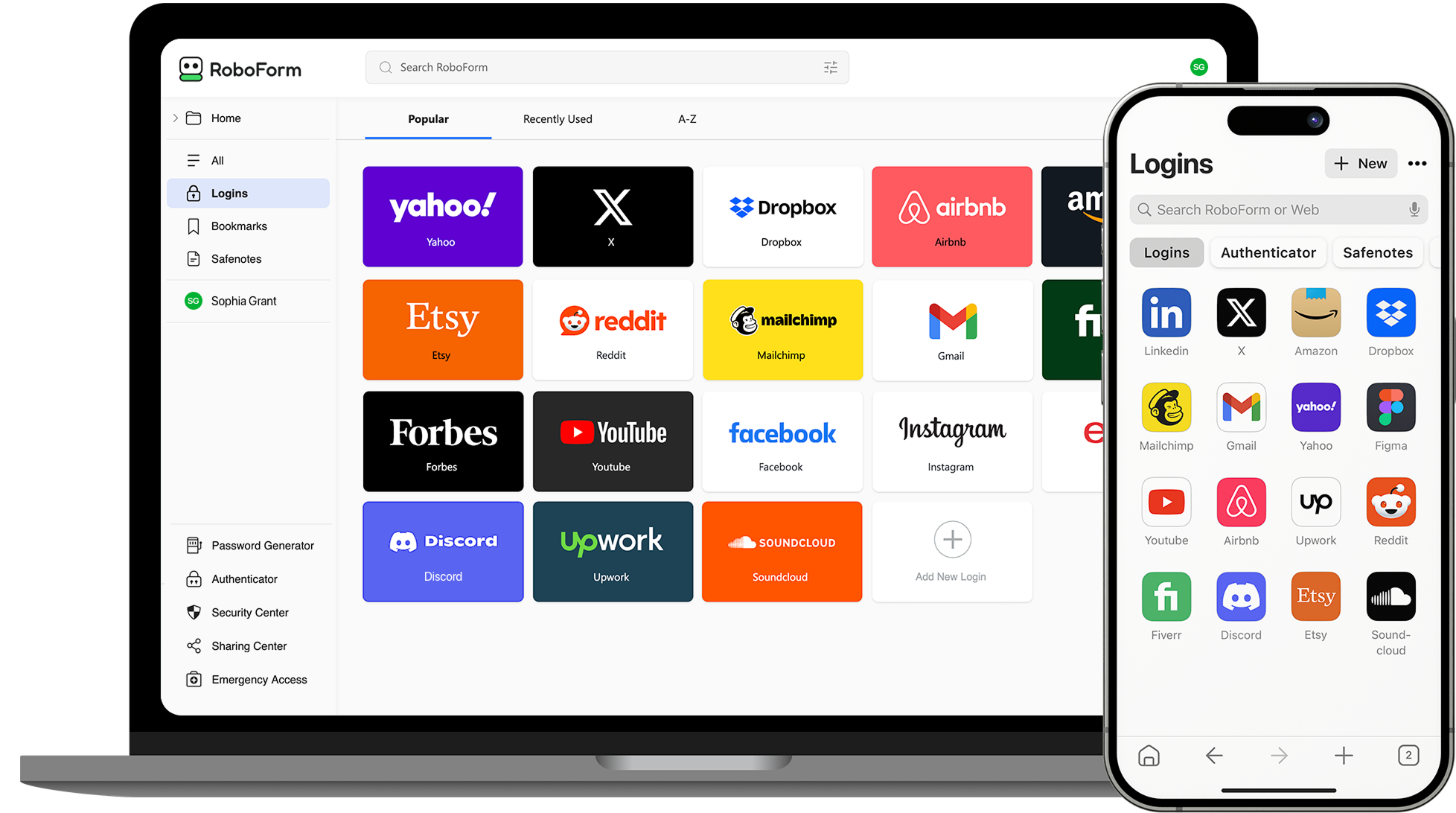
RoboForm Family · Five Premium accounts for less than $48 a year
“The cheapest family plan in password managers: $47.75/yr at renewal for five full Premium accounts, from a Secfault-audited company with a 25-year clean breach record. The honest con, up front: nobody can recover a forgotten master password, so Emergency Access must be set up on day one.”
Who should skip it: households of six or more (only 5 seats), or anyone who needs organizer recovery for a forgetful parent: buy 1Password Families instead.
- Renewal: $47.75/yr for 5 accounts ($9.55 per person/yr)
- First year: $31.95, then renews at $47.75/yr
- Every seat is a full Premium account: sync, sharing, breach alerts
- Audits: Secfault Security pentests (2023, 2025); SOC 2 cloud
Pros
- Lowest renewal cost of any verified family plan: $47.75/yr
- Every seat is a full Premium account, not a restricted sub-account
- 25+ years with no public customer-data breach
- 30-day money-back guarantee on the family plan
Cons
- Renewal jumps 49% over the first-year price: budget $47.75, not $31.95
- Only 5 seats: households of six or more need a different plan
- No organizer recovery: a forgotten master password cannot be reset
- Desktop app feels dated next to 1Password or NordPass
From $2.66/mo in year one (billed as $31.95)Renews at $47.75/yr for 5 accounts · 30-day money-back guarantee
The short answer
RoboForm Family is the cheapest password manager for families: $31.95 for the first year, renewing at $47.75/yr for five full Premium accounts. That is $9.55 per person per year at renewal, and no other verified family plan renews for less in total dollars. Big reviews bury this plan in a paragraph of a general RoboForm review; this page is the dedicated family-plan review those pages never write, covering the setup, the shared folders, and the lockout catch.
One honest caveat, because the table below would be dishonest without it: Bitwarden Families costs $47.88/yr for six people, which is thirteen cents more per year than RoboForm but seats one extra person, making it the cheapest per seat at $7.98 per person per year. We do not have an affiliate relationship with Bitwarden, so there is no buy button for it here. RoboForm still wins on total cost, which is what a household actually pays.
Check priceFamily plans, compared
Every price below was checked on the vendor's own pricing page in October 2026. The plans are ordered by renewal cost, because the renewal price is the price you will pay for years two, three and beyond. The per-seat column divides the renewal price by the included seats.
| Product image | Family plan | Seats | First year | Renews at | Per person/yr | Link |
|---|---|---|---|---|---|---|
| 1RoboForm FamilyOur pick: cheapest family plan | 5 | $31.95 | $47.75/yr | $9.55 | Check price | |
| Bitwarden Families | 6 | $47.88 | $47.88/yr | $7.98 | ||
| 2NordPass FamilyRunner-up: best polish | 6 | $44.28 | $71.88/yr | $11.98 | Check price | |
| 1Password Families | 5 | $53.88 | $71.88/yr | $14.38 |
Bitwarden and 1Password rows carry no buy button: we have no affiliate relationship with them, and this site does not publish unattributed buy links. See our cheapest password manager for families roundup for the full six-plan comparison.
What each seat gets
This is the part that makes Family a genuinely good deal rather than a discounted bundle: every seat is a full Premium account. Each member gets unlimited passwords, sync across all devices, web vault access, secure shared folders, emergency access, breach monitoring, and the built-in authenticator, plus the form filling RoboForm is best known for: full web forms, identities, and credit cards. One subscription, one bill, five complete accounts. The free plan, by contrast, is one device and one person, with no sync: it is a trial of the interface, not a family solution.
Setting it up for a household
One person subscribes
The organizer takes the Family subscription: a single bill covers all five seats, with unified billing instead of five separate renewals.
Invite four members
Each member creates their own account with their own master password. Nobody shares a login, so nobody sees anyone else's private vault.
Share one folder
Create a shared folder for household logins only: streaming, Wi-Fi, the utility account. Everything else stays private to each member.
Set emergency access now
Before anyone needs it, each member names a trusted contact with Emergency Access. This is the only recovery path RoboForm offers, and it cannot be set up after a lockout.
Kids and parents
A family plan earns its keep in two households-within-the-household: kids and ageing parents. For kids, a private seat beats the common alternative, sharing one account, on every axis: the child's vault is theirs, the parent holds Emergency Access, and the shared folder stays limited to household logins. For parents, the same Emergency Access setup is what saves the panicked phone call: with it, a trusted contact can be granted access to a vault when the owner cannot get in. Without it, there is no second chance, which brings us to the deciding feature.
The renewal trap, spelled out
RoboForm advertises Family from $1.59/mo. That figure is the first-year price divided by twelve and by nothing else: $31.95 for year one. Year two costs $47.75, a 49% jump, and every year after that costs $47.75 too. The honest monthly figure for a long-term buyer is $3.98/mo, not $2.66/mo. At $47.75/yr it is still the cheapest family plan we verified, but a household should budget the renewal number from day one, not discover it in the renewal email. The 30-day money-back guarantee covers the first purchase if the plan does not fit.
The feature that decides: lockout recovery
RoboForm's zero-knowledge architecture is both its security credential and its sharpest edge: your vault is encrypted on your device with AES-256 and PBKDF2 SHA-256, and RoboForm cannot read your data or reset your master password. Independent pentests by Secfault Security covered the full platform in 2023 and 2025, and there is no public breach of customer data in RoboForm's 25+ year history. The price of that design is that a forgotten master password is unrecoverable without Emergency Access already in place. If your household includes someone who will call you when locked out, 1Password Families' organizer recovery is the one feature worth paying $71.88/yr for. For everyone else, RoboForm plus day-one Emergency Access is the better buy. Our full head-to-head is in RoboForm vs NordPass.
Runner-up: NordPass Family
NordPass Family costs $44.28 the first year for six users, renewing at $71.88/yr, with a cleaner interface, a breach scanner, and email masking. It seats one more person than RoboForm and feels a generation newer. It costs $24.13 more per year at renewal, and like RoboForm it cannot reset a forgotten master password, so the Emergency Access advice applies there too. Buy NordPass if the sixth seat or the interface matters more than the $24 a year; otherwise RoboForm wins on the number that matters most to a household budget.
Check priceWho should not buy it
Skip RoboForm Family if your household has six or more people who need seats, if you need an organizer who can recover a locked-out member (buy 1Password Families), or if a dated desktop interface will stop the least technical member from using it at all. A password manager nobody opens protects nothing, and the cheapest plan is only cheap if the whole household actually uses it.
How we scored this: the receipts behind the ranking
- Verified family-plan pricing, first year and renewal. official pricing checked October 2026; plans are ranked on the renewal price, because that is the price a family pays in years two, three and beyond.
- Published audits and security architecture. Secfault Security pentest summaries (2023 and 2025), SOC 2 cloud certification, AES-256 encryption with PBKDF2 SHA-256, and zero-knowledge design.
- Family-specific features that actually matter. seat count, private vaults per member, shared folders, emergency access, and lockout recovery, not generic password-manager features.
- Not in the launch score yet: hands-on multi-user family testing. Those publish with the first lab report and can move the ranking. We say this loudly so you can hold us to it.
- Independence: Pricing verified against vendor pricing pages, checked October 2026; unconfirmed claims are listed as unconfirmed, never as facts. Rankings are locked before any affiliate program lookup; commissions never move rankings.
Questions, answered
How many people does RoboForm Family cover?
What does RoboForm Family cost after the first year?
Is each family member's vault private?
What happens if a family member forgets their master password?
Can kids use RoboForm Family?
Is there a free RoboForm family plan?
Bottom line
RoboForm Family is the cheapest way to put a whole household on a proper password manager: five full Premium accounts, $31.95 the first year, $47.75 a year after that, from a company with a 25-year clean record. Set up Emergency Access on day one, budget the renewal price, and it is the family plan to buy. Full review: RoboForm →